Last Updated on September 1, 2026 by Umar Farooq
Your dehumidifier has stopped, the “bucket full” light is on, and the bucket is empty. It is one of the most frustrating faults on the machine, because nothing is broken in any obvious way — and it is also one of the few dehumidifier faults that is genuinely worth trying to fix yourself.
Here is the single most useful thing to know before you start:
Your dehumidifier cannot measure how much water is in the bucket. It has no idea. All it knows is whether one small switch is open or closed. If that switch is stuck, blocked, or not being pressed, the machine believes the bucket is full — and it will keep believing it no matter how many times you empty it.
So this is not really a water problem. It is a switch problem. That reframing is what makes the fault easy to work through.
The 30-second answer
Nine times out of ten it is one of these three, in this order:
- The bucket isn’t seated properly. Pull it right out and push it back in firmly until you feel it stop. On most units there is a small lever or ramp on the bucket that has to physically press a switch inside the machine, and “nearly in” is the same as “not in.”
- The float is stuck. Look inside the bucket for the float — a small plastic paddle, arm, or torpedo-shaped part. Gently shake the bucket. If the float was gummed up with mineral scale or slime, it may drop free and the light will clear.
- The control board has latched. Unplug the unit at the wall for five minutes, then plug it back in.
If none of those work, the rest of this guide walks through the fault properly.
⚠️ Before you touch anything
Unplug the dehumidifier at the wall socket before removing panels, pressing internal switches, or putting a meter on anything. Switching it off at the control panel is not enough — the board stays live.
The bucket area itself is low-voltage and safe to inspect with the unit unplugged. Do not go past the bucket housing into the main chassis. A dehumidifier contains a capacitor that can hold a dangerous charge long after it is unplugged, and the sealed refrigerant circuit is pressurised. Everything in this guide stays outside that area.
What’s actually happening inside the unit
A dehumidifier’s “bucket full” system is a safety interlock, not a measuring instrument. Its only job is to cut power to the compressor before water overflows onto your floor. It does that with a simple open/closed switch, and there are three designs in common use.
Mechanical float and microswitch. A hinged plastic float sits in the bucket. As the water level rises, the float lifts, and at a set height it trips a small microswitch. This is the most common design on budget and mid-range portable units.
Magnetic float and reed switch. A torpedo-shaped float with a ring magnet moulded into it slides up and down a guide tube. A sealed reed switch mounted to the machine’s housing reacts when the magnet comes within roughly 10–12 mm of it — the actuation distance is specified in the patent this design comes from. Because the switch is sealed away from the water, this design is more reliable — but the float itself still has to be free to move, and the magnet still has to be present.
Bucket-presence lever. Separate from the water sensing, most units also have a lever, ramp, or tab on the bucket that presses a spring-loaded plunger inside the machine when the bucket is pushed home. This is what stops the unit running with the bucket out. On many designs it shares the same indicator light as the full sensor — which is exactly why a badly seated bucket looks identical to a full one.
Whichever design you have, the chain is the same: the float rises, a switch changes state, the control board reads that switch, and the board stops the compressor and lights the indicator. The board is only ever reading a switch — it never sees the water.

A false “full” reading means that chain is broken somewhere. Work along it from the cheap end.
Causes, ranked by how likely they are
A note on honesty: you will find pages online that put confident percentages next to each of these (“this is 25% of cases”). Those numbers are invented — no one is publishing service-call telemetry for portable dehumidifiers. What follows is ranked by what is mechanically most likely and most commonly reported, without fake precision.
Most common
- Bucket not fully seated. By a wide margin the most frequent cause, and the reason most of these fix themselves the moment someone pushes harder.
- Float stuck by scale, slime, or mould. Condensate is not clean water. It carries dust and airborne spores, and over a season it leaves a film on the float’s hinge or guide tube that stops it dropping back down.
Common
- Control board latched on a previous full condition. The board saw “full,” and a glitch or brownout left it stuck there. A hard power cycle clears it.
- Continuous drain hose attached and blocked. If you drain via a hose, water backing up into the bucket will trip the float legitimately — the sensor is right and the drain is wrong. This one gets misdiagnosed constantly.
Less common
- Float waterlogged or detached. Foam floats can absorb water over years and stop floating; on magnetic designs the float can pop out of its guide tube and sit permanently at the top.
- Bucket-lever plunger stuck or broken. The chassis-side plunger jams in the depressed or released position.
- Float switch failed. Microswitches do wear out, usually stuck closed.
Rare
- Control board failure. The switch is fine and the board still reports full. This is where DIY ends on most portable units.
Work through it in this order
Each step is cheaper and safer than the one after it. Stop as soon as the light clears.
Step 1 — Reseat the bucket properly
Pull the bucket all the way out, then push it back in with real intent until it stops. Listen and feel for a click.
Most people never push the bucket fully home because it slides most of the way in easily and the last few millimetres take a firmer shove. If the bucket is at all warped, or a drop of water has made the rails sticky, it can sit a hair short of engaging the lever.
→ Light cleared? Done. Make a habit of the firm push.
→ Still on? Step 2.
Step 2 — Hard power cycle
Unplug the unit at the wall. Wait five full minutes — not thirty seconds. Plug it back in and switch on.
Five minutes matters: it lets the board’s capacitors fully discharge so the control logic genuinely restarts rather than resuming from its last state.
→ Light cleared? The board had latched. If it happens repeatedly, note it — that is a real symptom and it points back at Step 6.
→ Still on? Step 3.
Step 3 — Free the float
With the unit unplugged, take the bucket out and find the float. It will be one of:
- a hinged paddle or arm along one wall of the bucket
- a torpedo or ball inside a slotted vertical tube
- a small foam block on a pivot
Tip the bucket gently side to side and watch the float. It should move freely under its own weight and fall back to the bottom on its own. If it hesitates, sticks, or has to be helped down, that is your fault.
Clean it with warm water and a little white vinegar, working around the hinge or the inside of the guide tube where scale collects. A soft toothbrush is ideal. Rinse and dry.
Do not prise open the float cover or dismantle the float housing. LG’s own guidance is explicit about this — “Do not open the float cover. Doing so may interfere with the float that detects when the bucket is full.” The cover is positioned to keep the float aligned with the sensor, and once you have disturbed it, it rarely reads correctly again.
→ Light cleared? Add the float to your cleaning routine, monthly.
→ Still on? Step 4.
Step 4 — The 30-second test that tells you where the fault is
This is the step almost no guide includes, and it is the one that saves you the most time. It isolates the fault to the bucket or to the machine in half a minute.
With the dehumidifier unplugged, take the bucket out and look into the empty bucket cavity. Along one wall — usually toward the back or the top — you should find the plunger, button, or micro-lever that the bucket’s tab presses when it is inserted. It is often bright red or white.
Now plug the unit back in, switch it on, and press that plunger in with a wooden or plastic implement — a chopstick, a pencil, the handle of a plastic spoon. Never a screwdriver or anything metal, and keep your fingers out of the cavity.
- The full light goes out while you hold the plunger in → the machine is fine. The fault is on the bucket: the tab is worn, broken, or the bucket is deformed and can’t reach the plunger. Look closely at the tab and compare it to the plunger’s position.
- The full light stays on → the fault is inside the machine: the plunger, its switch, or the board. Continue to Step 5.
Unplug again before doing anything else.
Step 5 — Inspect the float and the plunger for physical damage
Back at the bucket, with the unit unplugged:
- On foam floats: does it feel heavier than it looks? Push it under water in a sink — a healthy float bobs straight back up. One that stays down or rises sluggishly has absorbed water and needs replacing.
- On magnetic floats: confirm the float is still captive in its tube and hasn’t slipped out or been reinstalled upside down. If the unit was moved, stored, or shipped, this happens more often than you’d think.
- On the chassis side: press the plunger with your finger (unplugged) and let it go. It should spring back crisply. If it stays in or feels mushy, the plunger or its spring has failed.
Float assemblies and bucket switches are cheap and are stocked for most common platforms. Search your model number plus “float switch” or “bucket switch.”
Step 6 — If you drain through a hose, the sensor may be right
If you run a continuous drain hose, stop treating this as a sensor fault until you have ruled out the drain. Water backing up into the bucket will trip the float exactly as designed.
Check, in this order:
- The hose runs downhill the whole way — a minimum fall of about ¼ inch per foot. Any dip, sag, or upward loop creates a trap that stops gravity flow dead.
- The hose end is above the water line at the drain, not submerged. A submerged outlet creates back-pressure and the hose stops draining.
- The hose isn’t kinked, and the connection at the unit is seated with its rubber washer.
- The hose isn’t clogged. Condensate hoses grow a black biofilm of algae and sludge. Disconnect it and flush it through with clean water.
- Your unit doesn’t require a plug or knockout to be removed from the drain port before the hose will pass water — several platforms do, and it is easy to miss. GE documents this step for its own models, and the same arrangement appears across most Midea- and Gree-built units.
Frigidaire’s support article on a dehumidifier that won’t drain is worth reading alongside this even if you own another brand — the hose routing rules are identical across platforms.
A ½-inch or larger hose clogs far less readily than the thin tubing that ships in the box.
Step 7 — Test the switch with a meter (optional, if you’re comfortable)
Only attempt this if you already own and can use a multimeter. The unit must be unplugged and the switch disconnected from the harness before testing.
Set the meter to continuity. Probe the two switch terminals and operate the float or plunger by hand:
- Continuity changes cleanly as the float moves → the switch works. The fault is upstream, at the board.
- Continuity in both positions (stuck closed) or no continuity in either (stuck open or failed) → the switch has failed. Replace it.
Step 8 — 🛑 Stop here
If the bucket seats properly, the float moves freely, the plunger springs back, the drain is clear, and the switch tests good — but the unit still reports full — the control board has failed.
That is where DIY ends on a portable dehumidifier, and not because it’s dangerous to swap a board. It’s because a replacement board, when you can source one at all, typically costs a large fraction of a new unit, and you would be putting it into a machine whose remaining components are the same age as the one that just failed.
When it isn’t worth fixing
Be honest with yourself about the arithmetic before ordering parts:
- A float assembly or bucket switch is worth fixing at almost any age. These are inexpensive parts and a straightforward swap.
- A control board on a unit over about four years old is usually not. The general rule across appliance repair is that if the repair costs more than roughly half the price of a comparable new unit, replace it — and on portable dehumidifiers, boards routinely cross that line.
- If the unit is also icing up, running constantly, or not collecting water when it does run, the false-full reading may be the least of its problems. Diagnose the whole machine before spending anything.
Stopping it happening again
Almost every case of this fault comes back to the same thing: condensate is dirty water, and it leaves deposits.
- Empty and rinse the bucket weekly during the season, even if you drain by hose — the bucket still collects residue.
- Wipe the float and its hinge or guide tube monthly with a warm water and white vinegar mix. This is the single highest-value habit for this specific fault.
- Push the bucket firmly home every time. Make the click part of the routine.
- Flush the drain hose at the start of each season if you use one.
- Store the unit dry. Empty the bucket, leave it out for a day to dry, and store the unit upright. Water left in a bucket over winter is how floats end up seized in spring.
Frequently asked questions
Why does my dehumidifier say full when the bucket is empty?
Because the unit doesn’t measure water — it reads a switch. A float that is stuck, a bucket that isn’t fully seated, or a control board that has latched on a previous full condition will all report “full” with an empty bucket.
Is there a reset button for the bucket full light?
Almost no portable dehumidifier has a dedicated reset button for this. The equivalent is a hard power cycle: unplug at the wall for five minutes and plug back in. If the light returns immediately with a properly seated, empty bucket, it is a switch or board fault, not something a reset will fix.
Can I just bypass the float switch?
No. It is the only thing standing between a full bucket and water across your floor, and on some designs it is also part of the overflow protection for the drain pan. Bypassing a safety interlock on a mains-powered appliance is a bad trade for a fault that is usually a five-minute clean.
My bucket fills up even though I have the drain hose connected. Is the sensor broken?
Probably not — the sensor is likely doing its job. Water is backing up because the hose is blocked, kinked, running uphill somewhere along its length, or its outlet is submerged in standing water. Work through Step 6.
How long should the float switch last?
There is no fixed service life, and most that “fail” have not failed at all — they are gummed up. A switch that has been kept clean will usually outlast the compressor.
The full light is off, but the compressor still won’t start. Same thing?
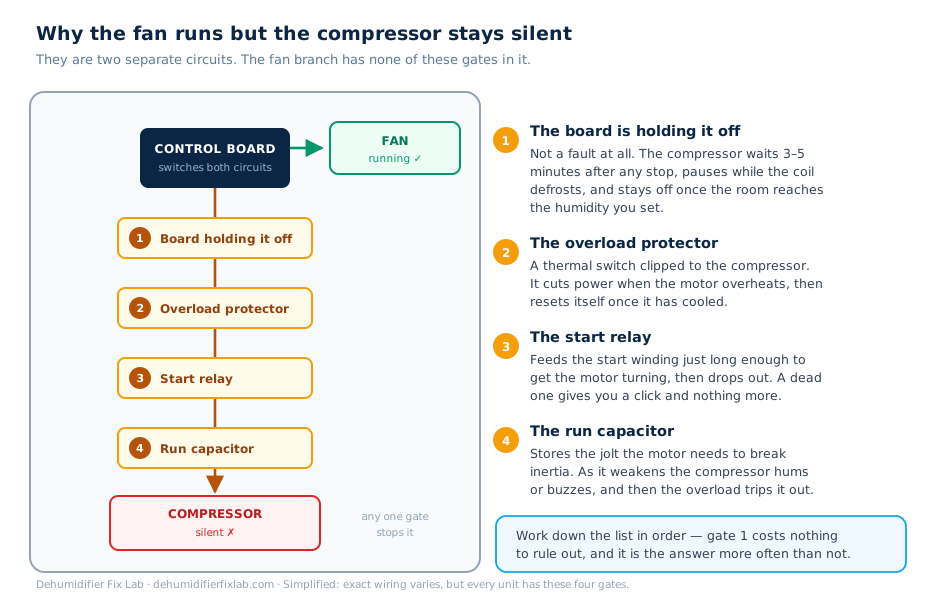
No — that’s a separate fault and this guide won’t help with it. If the light is clear and the fan is running but nothing is being collected, work through why the fan runs but the compressor doesn’t instead.
The light clears but comes back after a few hours. What does that mean?
That pattern points at a float that is free when dry but sticks once it has been wet, or a bucket tab that is only marginally reaching the plunger and loses contact as the unit vibrates. Clean the float thoroughly, then run Step 4 to check the plunger contact.
Related guide: Dehumidifier fan runs but the compressor doesn’t — for when the bucket sensor is behaving and the compressor still won’t turn.
Sources
- LG USA Support — “Why does the bucket full light stay on after emptying the bucket?” — the stuck-float procedure and the warning against opening the float cover.
- GE Appliances — Dehumidifier draining options — continuous drain connection and the drain-port plug.
- Frigidaire — Dehumidifier not draining — hose routing, fall, and submerged-outlet back-pressure.
- US Patent 6,380,499 — Float sensor employing reed switch — the magnetic float and reed switch design, including the 10–12 mm actuation distance.
Where this guide and your appliance’s own manual disagree, follow the manual.